Hosting a Snitz Forum (shared hosting)

HuwR
Forum AdministratorStep 1: Upload Files
-
Connect via FTP or the host’s file manager.
-
Upload the published files into the root folder (often
wwwrootor a special folder like/site/wwwroot). -
If your host requires a sub‑application folder, place files there.
Step 2: Configure Startup
-
Most shared hosts auto‑detect ASP.NET Core apps using the
web.configfile generated during publish. -
Ensure your
web.configcontains:<aspNetCore processPath="dotnet" arguments=".\SnitzForum.dll" stdoutLogEnabled="true" stdoutLogFile=".\logs\stdout" hostingModel="InProcess" /> -
If your host doesn’t allow
InProcess, switch toOutOfProcessand use Kestrel behind IIS.
Step 3: Verify
-
Visit your domain. If you see a 500 error, check:
The host supports your runtime version.
-
Your deployment mode (portable vs self‑contained).
-
Logs in the
/logsfolder (enablestdoutLogEnabledinweb.config).
Common Shared Hosting Gotchas
-
Runtime mismatch → Your app targets .NET 8, but host only supports .NET 6.
-
Permissions → Make sure
logsfolder has write permissions. -
Timeouts → Shared hosting often limits long‑running processes.
-
No IIS Manager → You can’t tweak app pools; rely on host defaults.
If you want fewer headaches, use Self‑Contained Deployment — it makes your app independent of the host’s runtime version. Downside: larger upload size.
Installation & Setup
HuwR
Forum AdministratorChoosing a Hosting Environment
Before diving into the technical steps, it's essential to choose the right hosting environment for your .NET Forum. You have several options.
- On-Premises Server: Hosting the application on your physical servers.
- Cloud Hosting: Using cloud providers like Microsoft Azure, AWS, or Google Cloud.
- Shared Hosting: Using a shared hosting provider is suitable for smaller applications with lower traffic.
Each option has its advantages and trade-offs, such as control, scalability, cost, and maintenance requirements.
Deploying the Forum
Copying Files to the Server
The next step is to copy the application files to the server. This can be done using various methods:
- FTP/SFTP: Using tools like FileZilla or WinSCP to transfer files.
- SSH: Securely copying files via SCP.
Configuring the Forum
By default a file called "App_Offline.htm" has been placed in the root folder of your Forum, this will prevent it from running until you are ready.
Configuring Application Settings
Ensure that your Forum is configured for the production environment. This involves:
- Updating connection strings to point to your database.
- Setting environment-specific variables.
- Configuring logging and monitoring settings.
{
<!-- If you know your connection string you can add it here, otherwise leave it empty -->
  "ConnectionStrings": {
    "SnitzConnection": "Server=.\\SQL2019;Database=SnitzMVC;Trusted_Connection=True;MultipleActiveResultSets=true;TrustServerCertificate=true",
    "HangfireConnection": "Server=.\\SQL2019;Database=SnitzMVC;Trusted_Connection=True;MultipleActiveResultSets=true;TrustServerCertificate=true",
    "DBProvider": "mssql" //The database type used mssql, mysql, sqlite
  },
// This section can be configured in the Admin section of the Forum, however! If you are upgrading a
previous version that does not use the standard [FORUM_] prefix naming convention for the database
tables, you should set those here before proceeding with any upgrade.
  "SnitzForums": {
    "forumTablePrefix": "FORUM_",
    "memberTablePrefix": "FORUM_",
    "strForumUrl": "https://yourservername/",
    "strForumDescription": "Short description about your Forums",
    "strForumTitle": "Name of your Forums",
    "strCopyright": "{0} H Reddick",
    "strUniqueId": "SnitzCore00",
    "excludeBots": "googlebot,bing,duckduck,yahoo,spider,bot,facebook,netEstate,Not-A.Brand,barkrowler",
    "SupportedLanguages": [ "en", "no", "fa" ],
    "Log4NetCleanupTime": 3, //Log file cleanup Job will run daily at 3am
    "Log4NetCleanupOlderThan": 7, //Log files older than 7 days will be deleted
    "VirtualPath": "" //Set automatically
    "LandingPage": "",
    "strVersion": "",
  },
// The Mail Settings can be configured in the Admin section of the Forum
  "MailSettings": {
    "From": "name@youremail.com",
    "UserName": "",
    "Password": "",
    "RequireLogin": false,
    "SmtpServer": "mailserver address",
    "Port": 25,
    "SecureSocketOptions": "StartTls"
  },
  "IdentityOptions": {
    "User": {
      //This was added to allow spaces in the username, if you do not require spaces, this line can be removed
      "AllowedUserNameCharacters": "abcdefghijklmnopqrstuvwxyz ABCDEFGHIJKLMNOPQRSTUVWXYZ0123456789-._@+",
      "RequireUniqueEmail": false
    },
// You can set your password security requirements here
    "Password": {
      "RequiredLength": 10,
      "RequireDigit": true,
      "RequiredUniqueChars": 4,
      "RequireLowercase": true,
      "RequireNonAlphanumeric": true,
      "RequireUppercase": true
    }
  },
  "Logging": {
    "LogLevel": {
      "Default": "Error",
      "Hangfire": "Warning"
    }
  },
  "AllowedHosts": "*"
}
Make sure to use secure methods for storing sensitive information, such as secrets and API keys.
Once you have edited the file and saved it you are ready to start the Forum application and perform the upgrade. To continue, rename the "App_Offline.htm" file to "App_Offline.htm.old". Now open your forum in a browser and the Upgrade page should display.
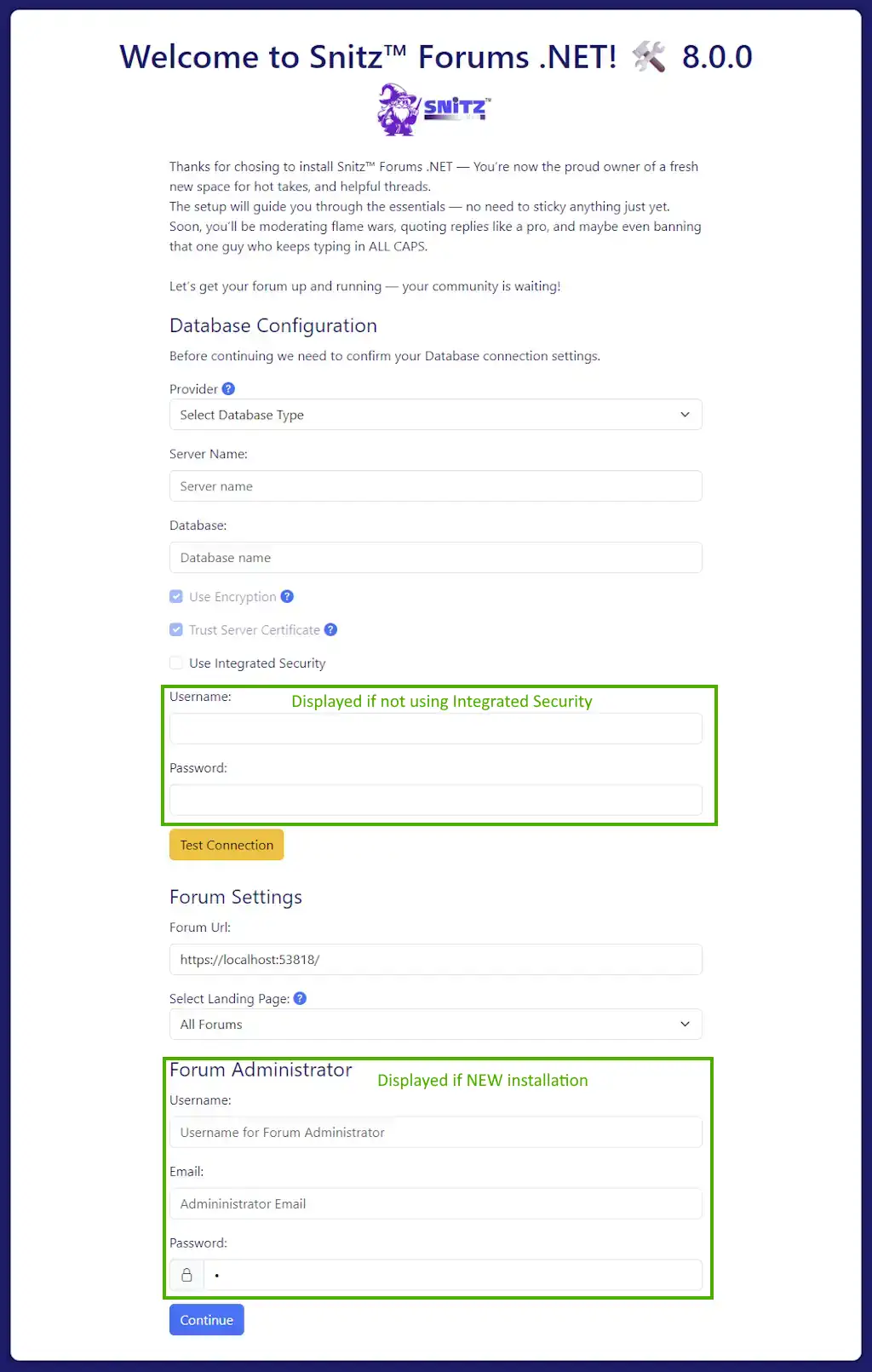
The exact options displayed will vary dependent on your setup and what was entered in your appsettings.json file. Pressing [Continue] will start the upgrade process and present you with a "Restart Application" page.
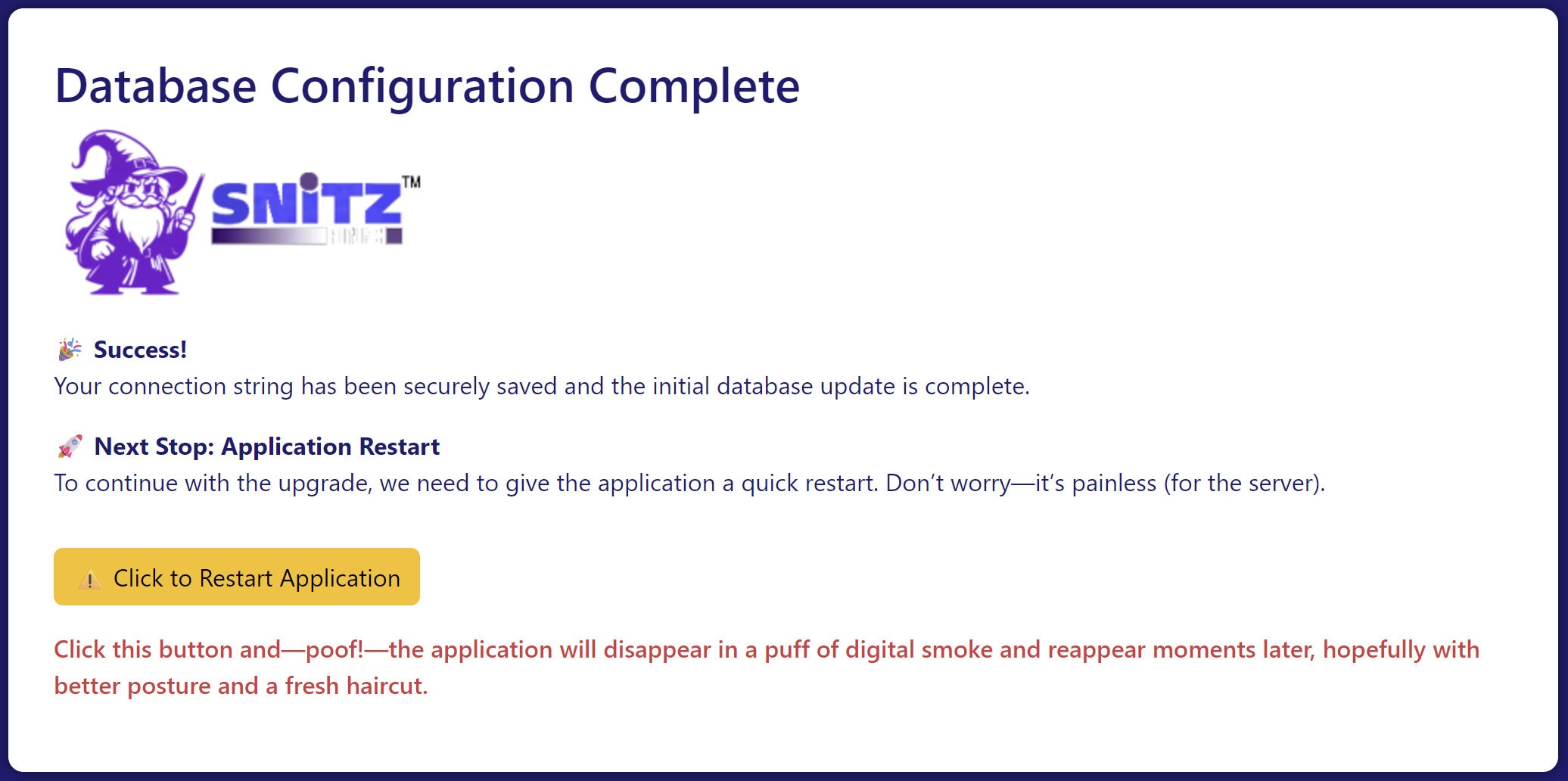
Click the "Restart Application" button, the Forum will now apply the upgrades and eventually redirect you to the Forum's home page.
When the Forum opens, you should log in with an Admin account. in order to migrate your membership (if you are upgrading an existing Forum).
-
Open the Login form and enter your current username and password.
-
Click the [SignIn] button to start the migration process.
-
If your credentials are correct and your password meets the new security requirements:
Your account will be migrated automatically.
-
You will be logged in successfully.
-
If your password is correct but does not meet the new security standards, you will be redirected to reset it.
-
If the password entered does not match the stored one:
An email will be sent to confirm your identity before password reset.
-
The email will be sent to your registered address.
-
If you can no longer access that email, please contact the Forum administrator.
Please read any messages displayed during the process carefully; they will help resolve any potential issues.
If performing an upgrade you will need to add your Admin account to the SuperUser Role. (see Managing Roles)
Changing the default Landing Page
HuwR
Forum AdministratorWhen you first install the new Forum, it uses a default Home page that can be customized to display your own welcome message. If you'd prefer the All Forums view as the default (like in previous versions), follow these steps:
Go to the "FileManager" option in the Admin menu. Once the file manager loads, locate the file named appsettings.json, select it, and click the edit icon on the toolbar. Open the file, find the SnitzForums section, and look for the "LandingPage" setting. Change its value from "" to "AllForums" and save the file.
Saving will trigger an app pool recycle, so there might be a short delay when opening a new page as the application reloads. After making this change, the "home" page should redirect to AllForums, and the "Home" links in the breadcrumb will be hidden.
Be cautious while editing this file, as mistakes could prevent the application from reloading.
Tag Helpers
HuwR
Forum AdministratorTag Helpers in ASP.NET Core are a powerful feature that enables server-side code to participate in creating and rendering HTML elements in Razor views. They make your Razor markup more readable and maintainable by allowing you to use HTML-like syntax while still leveraging the full power of C#.
🏷️ What Are Tag Helpers?
Tag Helpers are C# classes that target HTML elements based on element name, attribute name, or parent tag. They allow you to:
- Attach server-side logic to HTML elements
- Generate dynamic content
- Simplify form handling, routing, and component rendering
🔧 How They Work
Tag Helpers are activated by adding the @addTagHelper directive in your Razor view or _ViewImports.cshtml file:
@addTagHelper *, Microsoft.AspNetCore.Mvc.TagHelpers
This makes built-in Tag Helpers (like asp-for, asp-action, asp-controller) available in your views.
📦 Common Built-in Tag Helpers
asp-for | Binds an input element to a model property |
asp-action | Specifies the action method to invoke |
asp-controller | Specifies the controller to target |
asp-route | Adds routing parameters to a link or form |
asp-validation-for | Displays validation messages for a model property |
environment | Conditionally renders content based on environment |
🧑💻 Example
<form asp-action="Login">
    <input asp-for="Username" />
    <span asp-validation-for="Username"></span>
    <button type="submit">Login</button>
</form>
This example binds the input to the Username property of the model and sets up validation.
🛠️ Snitz Custom Tag Helpers
I have created several Tag Helpers to help with page renderring of various items.