Installation & Setup
MediaWizards Forumshttps://snitz.themediawizards.co.uk/Topic/Posts/12?pagenum=1
21 Sep 2026, 02:19
Topic
Installation & Setup
18 Oct 2025, 09:49
Choosing a Hosting Environment
Before diving into the technical steps, it's essential to choose the right hosting environment for your .NET Forum. You have several options.
- On-Premises Server: Hosting the application on your physical servers.
- Cloud Hosting: Using cloud providers like Microsoft Azure, AWS, or Google Cloud.
- Shared Hosting: Using a shared hosting provider is suitable for smaller applications with lower traffic.
Each option has its advantages and trade-offs, such as control, scalability, cost, and maintenance requirements.
Deploying the Forum
Copying Files to the Server
The next step is to copy the application files to the server. This can be done using various methods:
- FTP/SFTP: Using tools like FileZilla or WinSCP to transfer files.
- SSH: Securely copying files via SCP.
Configuring the Forum
By default a file called "App_Offline.htm" has been placed in the root folder of your Forum, this will prevent it from running until you are ready.
Configuring Application Settings
Ensure that your Forum is configured for the production environment. This involves:
- Updating connection strings to point to your database.
- Setting environment-specific variables.
- Configuring logging and monitoring settings.
{
<!-- If you know your connection string you can add it here, otherwise leave it empty -->
  "ConnectionStrings": {
    "SnitzConnection": "Server=.\\SQL2019;Database=SnitzMVC;Trusted_Connection=True;MultipleActiveResultSets=true;TrustServerCertificate=true",
    "HangfireConnection": "Server=.\\SQL2019;Database=SnitzMVC;Trusted_Connection=True;MultipleActiveResultSets=true;TrustServerCertificate=true",
    "DBProvider": "mssql" //The database type used mssql, mysql, sqlite
  },
// This section can be configured in the Admin section of the Forum, however! If you are upgrading a
previous version that does not use the standard [FORUM_] prefix naming convention for the database
tables, you should set those here before proceeding with any upgrade.
  "SnitzForums": {
    "forumTablePrefix": "FORUM_",
    "memberTablePrefix": "FORUM_",
    "strForumUrl": "https://yourservername/",
    "strForumDescription": "Short description about your Forums",
    "strForumTitle": "Name of your Forums",
    "strCopyright": "{0} H Reddick",
    "strUniqueId": "SnitzCore00",
    "excludeBots": "googlebot,bing,duckduck,yahoo,spider,bot,facebook,netEstate,Not-A.Brand,barkrowler",
    "SupportedLanguages": [ "en", "no", "fa" ],
    "Log4NetCleanupTime": 3, //Log file cleanup Job will run daily at 3am
    "Log4NetCleanupOlderThan": 7, //Log files older than 7 days will be deleted
    "VirtualPath": "" //Set automatically
    "LandingPage": "",
    "strVersion": "",
  },
// The Mail Settings can be configured in the Admin section of the Forum
  "MailSettings": {
    "From": "name@youremail.com",
    "UserName": "",
    "Password": "",
    "RequireLogin": false,
    "SmtpServer": "mailserver address",
    "Port": 25,
    "SecureSocketOptions": "StartTls"
  },
  "IdentityOptions": {
    "User": {
      //This was added to allow spaces in the username, if you do not require spaces, this line can be removed
      "AllowedUserNameCharacters": "abcdefghijklmnopqrstuvwxyz ABCDEFGHIJKLMNOPQRSTUVWXYZ0123456789-._@+",
      "RequireUniqueEmail": false
    },
// You can set your password security requirements here
    "Password": {
      "RequiredLength": 10,
      "RequireDigit": true,
      "RequiredUniqueChars": 4,
      "RequireLowercase": true,
      "RequireNonAlphanumeric": true,
      "RequireUppercase": true
    }
  },
  "Logging": {
    "LogLevel": {
      "Default": "Error",
      "Hangfire": "Warning"
    }
  },
  "AllowedHosts": "*"
}
Make sure to use secure methods for storing sensitive information, such as secrets and API keys.
Once you have edited the file and saved it you are ready to start the Forum application and perform the upgrade. To continue, rename the "App_Offline.htm" file to "App_Offline.htm.old". Now open your forum in a browser and the Upgrade page should display.
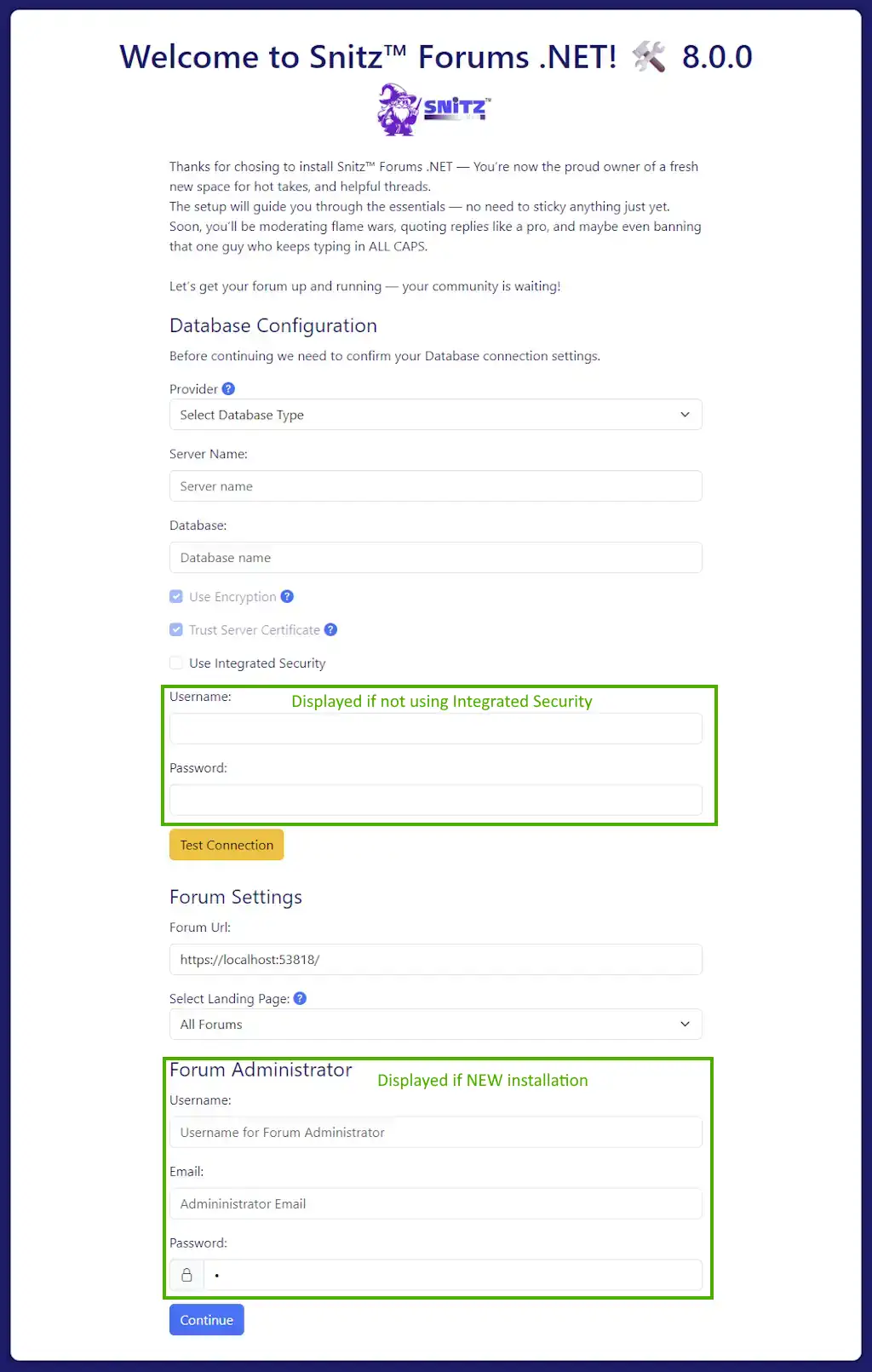
The exact options displayed will vary dependent on your setup and what was entered in your appsettings.json file. Pressing [Continue] will start the upgrade process and present you with a "Restart Application" page.
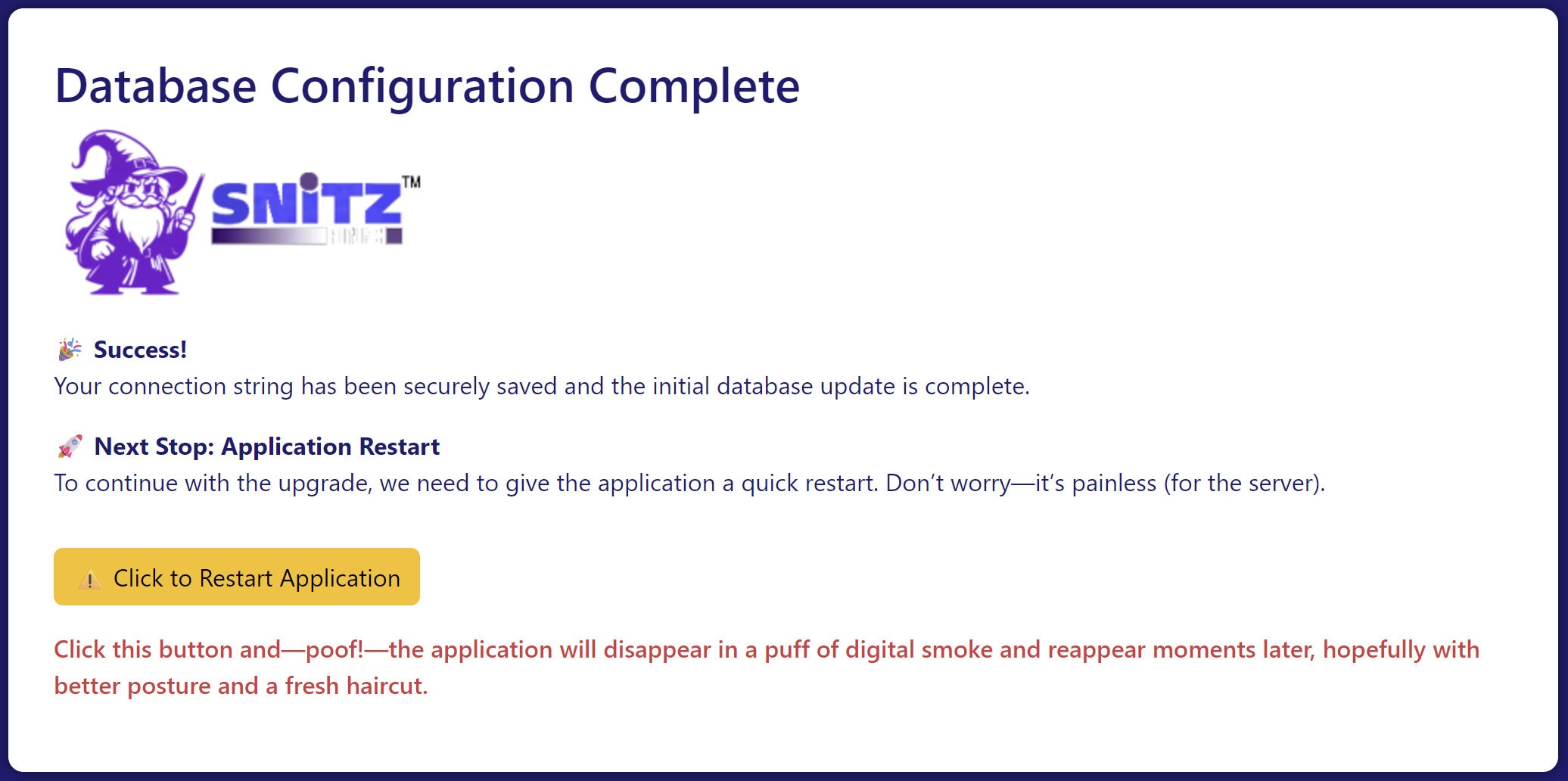
Click the "Restart Application" button, the Forum will now apply the upgrades and eventually redirect you to the Forum's home page.
When the Forum opens, you should log in with an Admin account. in order to migrate your membership (if you are upgrading an existing Forum).
-
Open the Login form and enter your current username and password.
-
Click the [SignIn] button to start the migration process.
-
If your credentials are correct and your password meets the new security requirements:
Your account will be migrated automatically.
-
You will be logged in successfully.
-
If your password is correct but does not meet the new security standards, you will be redirected to reset it.
-
If the password entered does not match the stored one:
An email will be sent to confirm your identity before password reset.
-
The email will be sent to your registered address.
-
If you can no longer access that email, please contact the Forum administrator.
Please read any messages displayed during the process carefully; they will help resolve any potential issues.
If performing an upgrade you will need to add your Admin account to the SuperUser Role. (see Managing Roles)